The VAT return turns your categorised bank lines, invoices and purchases into the nine boxes for one quarter. Nothing is sent to HMRC. You file these figures yourself.
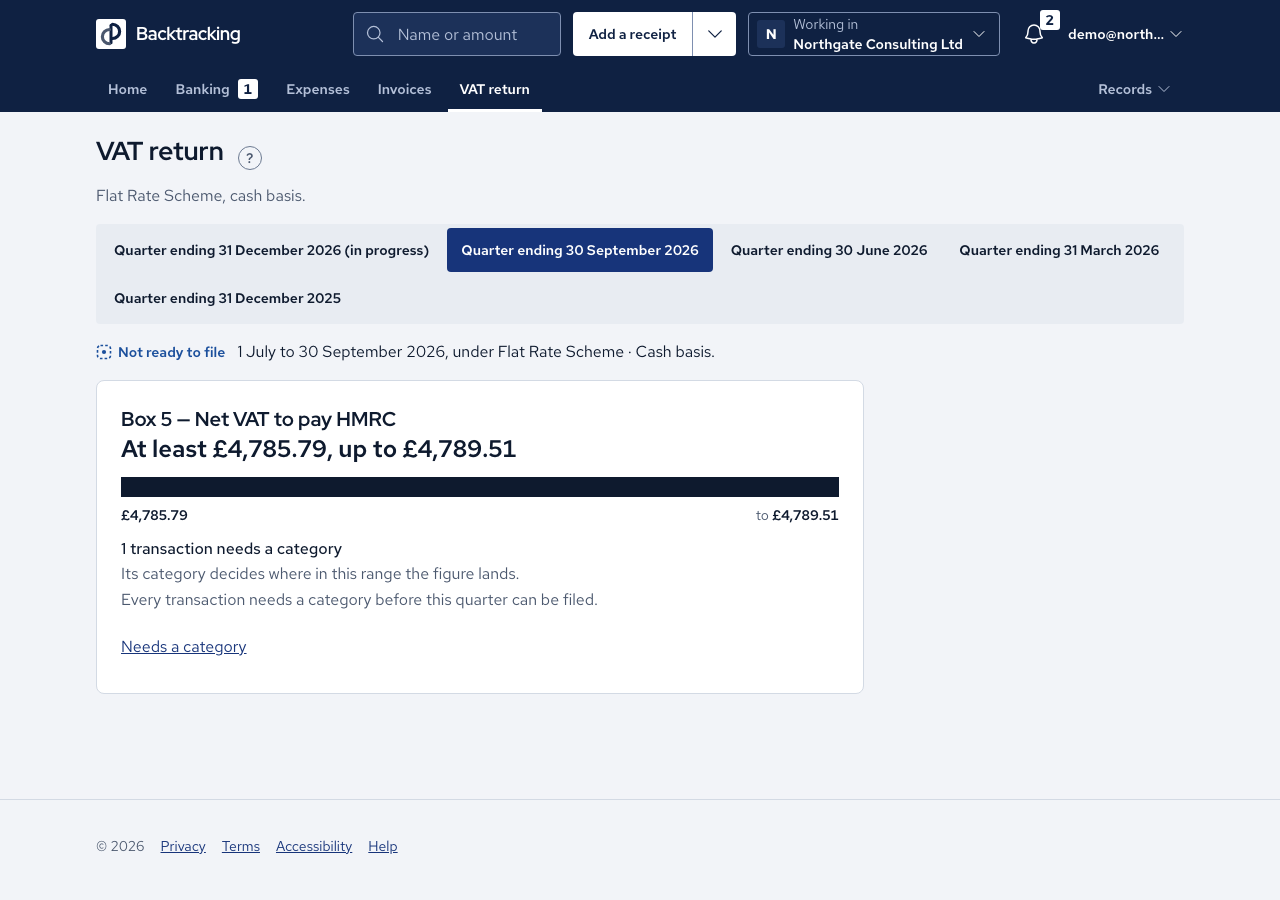
- Open VAT return and choose the quarter. The first line names the scheme and method behind the figures.
- Read the nine boxes in order. Each shows its working beneath it, and no box is treated as more important than another.
- If lines have no category, the screen shows a range such as "At least £0.00, up to £2.10" instead of boxes. Press Needs a category, categorise those lines, then return.
- If income lines are waiting to be confirmed, press Needs confirming and confirm each one.
- Once the quarter has ended and Filing shows no refusal, press Finalise this quarter and confirm. The confirmation states that nothing is submitted to HMRC.
- If a record changes after filing, the filed figure stays and the change is noted beside it. File an updated version stores a second record and keeps the first.
Cases
- The range is exact arithmetic, never a guess. Each uncategorised line is taken at the rate on its own date, and filing is still refused until every line has a category.
- Unconfirmed income is excluded from Boxes 1 and 6 and cannot be filed.
- Purchases waiting for evidence cannot be filed. Add the supplier VAT number or VAT invoice, or accept zero VAT.
- A quarter with no bank data is not shown as £0.00. The screen says nothing has been imported.
- Flat Rate Scheme, cash basis: flat-rate VAT is computed per invoice and summed, using ROUND_HALF_UP, so £0.465 becomes £0.47.
- Flat Rate Scheme, invoice basis: an invoice counts in the quarter of its tax point, which is the invoice date or the first payment if that came earlier.
- Standard Scheme, invoice accounting: Box 1 is the VAT on invoices issued, Box 6 is net of VAT and Box 7 is net of all purchases.
- Standard Scheme, cash accounting: the VAT on a sale counts when each payment reaches your bank, in proportion to what was paid.
- Not VAT registered: the screen reads "Nothing to file" and shows no boxes.
- Members and accountants can read all nine boxes but are not offered the finalise button.
Good practice
- Clear To classify and Needs confirming before the quarter ends, so the range closes to one figure.
- Read the tax-point sentence and confirm it with your accountant before you file.
- Treat filed figures as locked. A correction under £10,000 net adjusts on the current return, and above it needs form VAT652. The app records the correction and says which applies, but files nothing.