Matching links an expense you recorded to the bank line that paid it, so that your records and your bank agree.
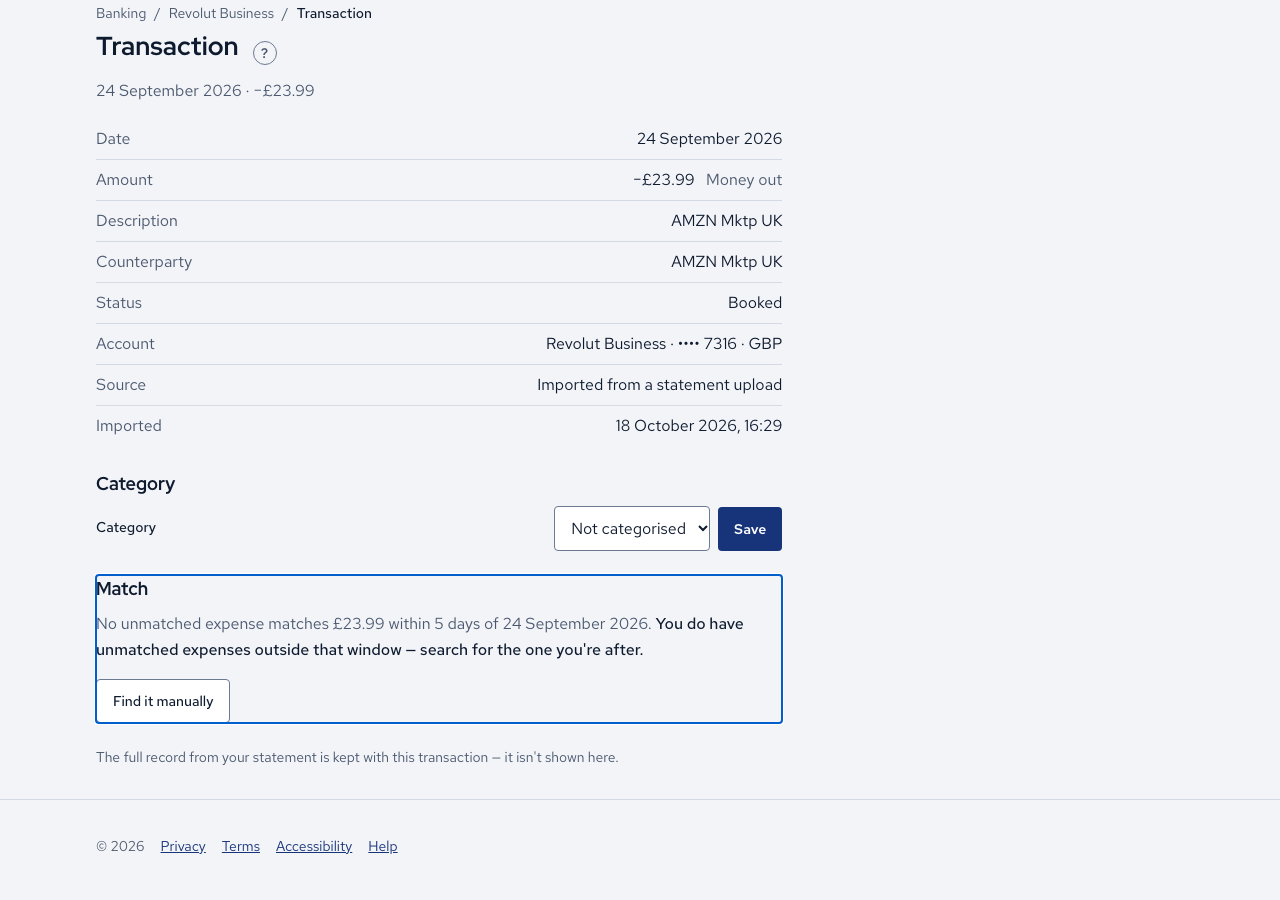
- Open Banking and the To match tab. It lists company-paid purchases that have no expense matched to them yet.
- Open a line. In its Match section the app suggests expenses and gives its reason, such as the same amount and how many days apart.
- Press Match on the right suggestion. Merely opening the screen records nothing, so you can look without committing.
- If nothing fits, press Find it manually. Search by supplier, amount or date, press Search, then press Match on the expense.
- If one payment covers several invoices, tick them all in the results. The allocation line shows how much of the payment is accounted for, and you press Match these when it adds up.
- To undo a match, press Unmatch and confirm.
Cases
- A suggestion needs exactly the same amount and a date within 5 days either side. A difference of one penny is not suggested.
- If the amounts differ, Amounts differ states the exact difference. Nothing is recorded until you deliberately choose Match anyway….
- A £0.00 line has no payment to match, and money out cannot be matched to money in.
- A refund expense matches the money that came back.
- An expense can belong to only one bank line.
- An expense inside a finalised quarter cannot be selected.
- An expense you paid personally cannot be matched. The page explains that the director's loan settles it, not a bank line.
- The app matches by itself only when exactly one expense and one bank line fit, and never when the amounts differ by a penny. Each automatic match is listed with Undo, which asks no questions.
Good practice
- Record the expense first. The app never guesses at an expense that has not been entered yet.
- Read Amounts differ before pressing Match anyway…, because the difference is kept with the match.
- Work To match down to nothing before the quarter ends. Income, director's loan lines and £0.00 lines never appear there.