Set up your company is a single form that tells the app what kind of company you run and how it handles VAT. Your reports are built from your answers, so it is worth taking a moment to get them right.
- Sign in for the first time. With no company yet, the app takes you to Set up your company.
- Enter your Company name, and your Companies House number if you have it to hand.
- Choose your VAT scheme: Flat Rate Scheme, Standard Scheme or Not VAT registered.
- If you are VAT registered, enter your VAT number, VAT registered on and VAT quarters end. The quarter setting decides the periods your VAT return covers.
- On the Flat Rate Scheme, enter Flat rate now. If your rate will change on a future date, tick My rate changes on a future date, then enter the New rate and the date in From.
- Choose How your VAT turnover is counted, which sets when a sale counts towards your VAT. The Flat Rate Scheme offers Invoice (basic) and Cash basis. The Standard Scheme offers Invoice accounting and Cash accounting.
- Read What will be set up. It shows your company, scheme, quarters and rate history before anything is created, so you can correct a mistake first.
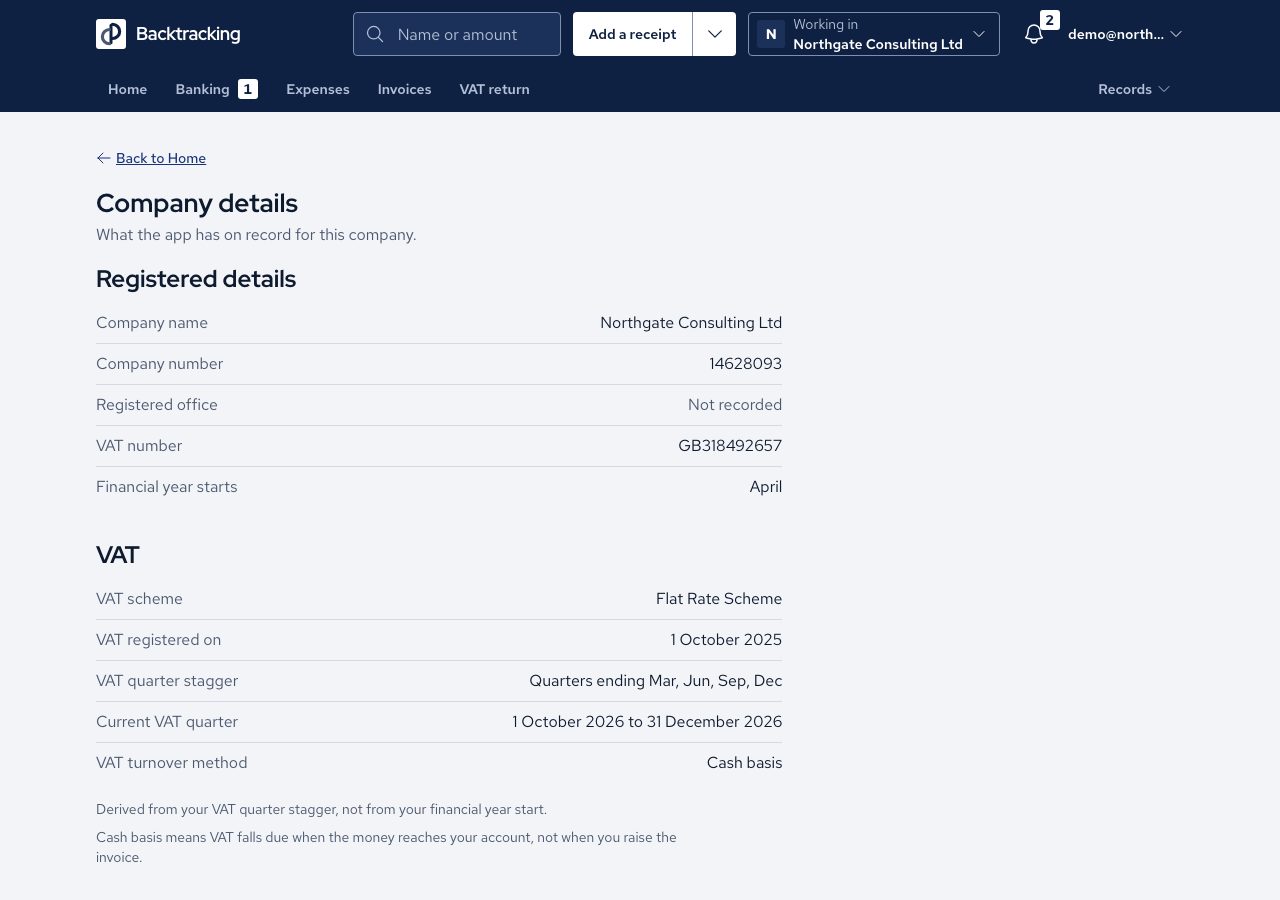
- Press Create company. To review the result later, use the company control in the header to open Company details.
Cases
- Not VAT registered hides every VAT field, and Company details then shows no registration, quarter or method rows.
- A registered scheme without a registration date is refused with "Enter the date you registered for VAT." and no company is created.
- A negative rate, a rate above 100% and a rate with more than two decimals are refused. A rate of zero is accepted.
- Changing the scheme resets the turnover method to that scheme's starting choice. Changing anything else keeps your choice.
- The Standard Scheme shows no flat rate field and no rate history.
- If any part of set-up fails, no company is created, so you are never left with half a setup.
- Company details only displays what the app holds. It has no edit or delete action.
Good practice
- Enter the rate you pay now. If it will change on a known date, such as the end of a first-year discount, add the new rate and its start date straight away. The form notes that first-year rates are 1% lower, and the app uses the rate in force on each date.
- Choose the turnover method deliberately. The Flat Rate Scheme starts on Cash basis, and the app never assumes the invoice basis on your behalf.
- After creating the company, open Company details and compare the registration date, quarters and rate history with your VAT certificate.