A category says what kind of money a bank line is, such as a sale or a loan. Your VAT figures are built from these decisions, so every line needs one.
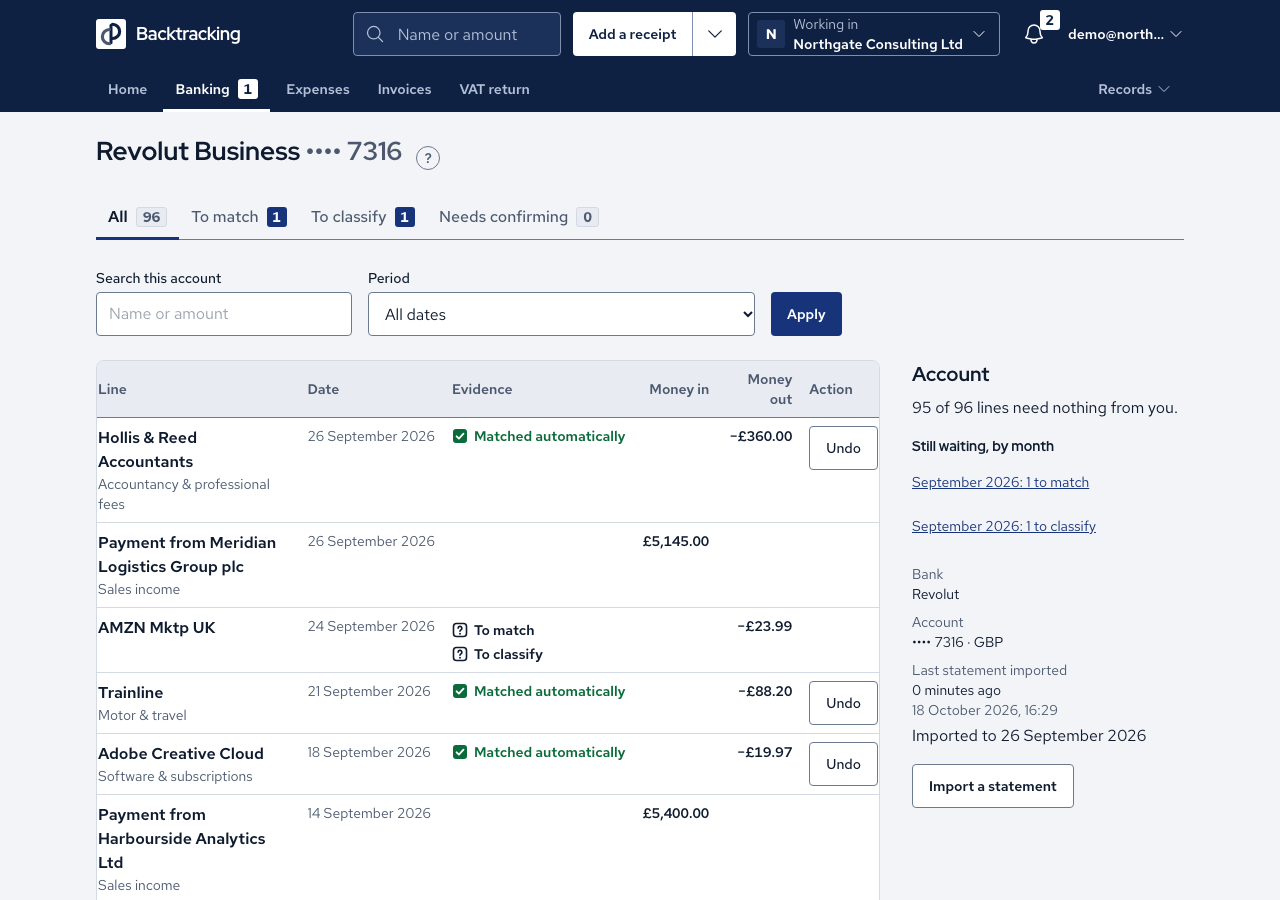
- Open Banking. The tabs All, To match, To classify and Needs confirming each show a count of what is waiting.
- Open To classify. It lists the lines that have no category yet.
- On a line, choose from Category (it starts at "Not categorised yet") and press Save. A message names the line and the category so you can see what changed.
- To handle several lines at once, tick the rows, choose Category for the ticked rows and press Categorise ticked rows…. The app tells you how many lines will change and records nothing until you confirm.
- After an import, the app may propose categories based on your earlier choices for the same counterparty. Proposals wait in Needs confirming. Press Confirm on a line, or tick rows and press Confirm ticked rows…. Confirming records the app's category as yours, and you can change it afterwards.
- To change a category later, press Change beside it. The message names the old and the new category.
Cases
- A proposed category is not yet a decision. A proposal moves no VAT figure, and an income line that is still unconfirmed does not count as turnover.
- A quarter with unconfirmed income cannot be finalised, and the VAT return points you to Needs confirming.
- A remembered category is pre-selected for you, but the line stays uncategorised until you save.
- While lines have no category, the VAT return shows a range and the reason instead of exact figures.
- A £0.00 line can be categorised, and a refund keeps its minus sign.
- A deactivated category cannot be chosen for a new decision.
- An accountant can read the tabs but is not offered a category control.
- When the last line is done, the page says "Every bank line has a category."
Good practice
- Clear To classify and Needs confirming before you open a VAT return. Uncategorised lines stop any filed figure from being produced.
- Look at each proposal before you confirm it, because only confirming changes a VAT figure.
- Give loans, dividends, transfers and director's loan repayments their own categories rather than a sales category. They never count as turnover.
- When you add a category, choose its kind with care. A kind cannot be changed, so a wrong choice is put right by adding a new category.