An invitation gives your accountant their own sign-in to your company. The accountant role reads everything and takes exports. It changes nothing.
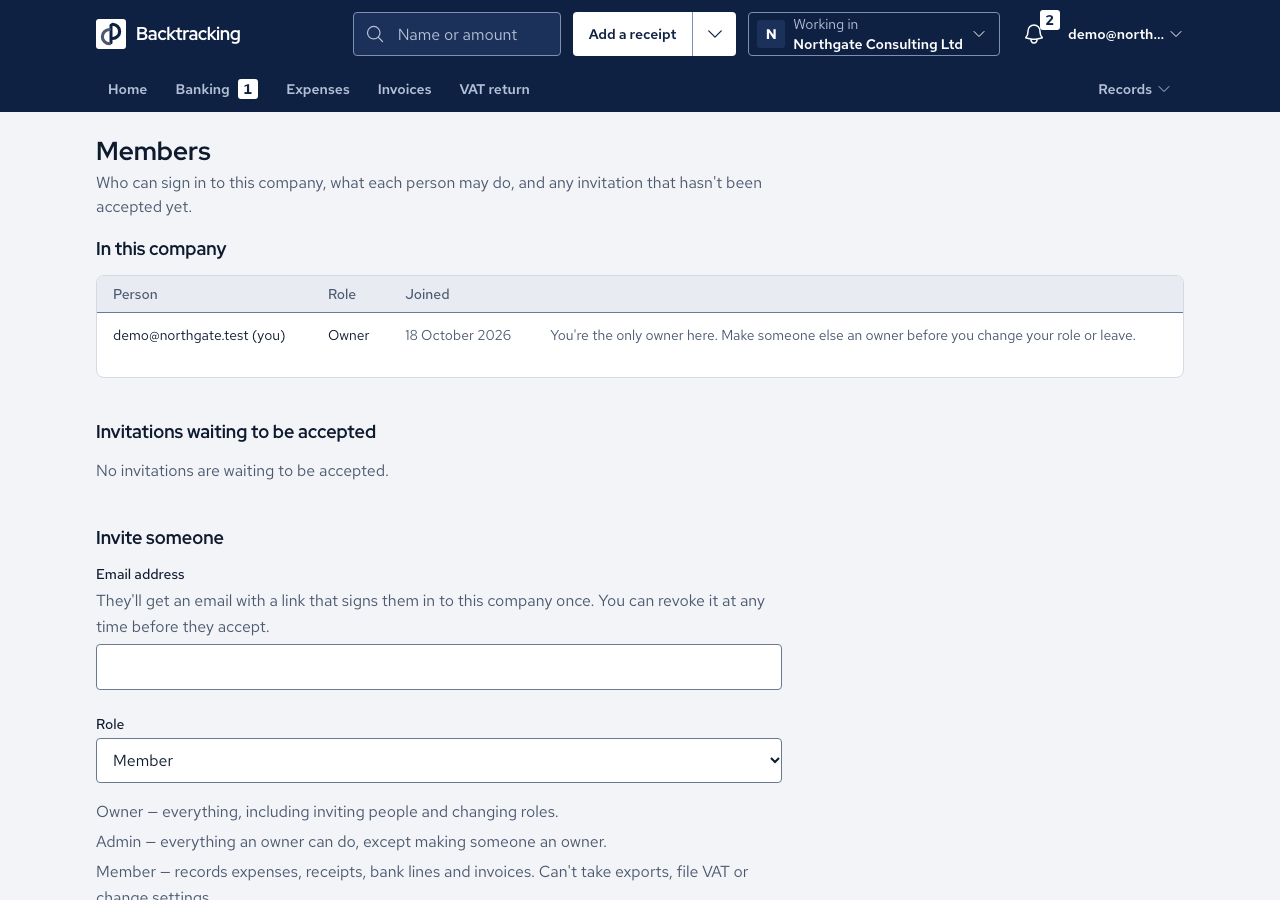
- Open Members in the Company section. Only owners and admins can see it.
- Under Invite someone, enter their Email and choose Accountant as the Role.
- Press Send invitation. The invitation is listed with its expiry date until it is accepted. It lasts seven days.
- Your accountant opens the link. They see your company's name, who invited them and the role. A new user sets a password and accepts. An existing user signs in and accepts, and holds both companies.
- They set up two-step sign-in, then land on your Home screen.
Cases
- An accountant can read every screen and take the Quarter-end pack and Export everything. They cannot record, finalise a VAT quarter, change settings or manage members.
- An accountant is not offered controls such as Confirm, Match or Raise an invoice.
- A link that has expired, been used or been revoked looks the same as one that never existed.
- The signed-in address must match the invitation, and you are told which address it was sent to.
- Inviting someone already in the company is refused. Inviting an address with an open invitation sends it again with a fresh link.
- Revoking an invitation asks you to confirm and names the address.
- Sign-up stays closed to the public. The invitation is the permission.
Good practice
- Choose Accountant, not Member. A member records but cannot export. An accountant exports but cannot record.
- Give each person their own invitation, never your sign-in, so every record says who made it.
- When the engagement ends, press Remove beside them on Members. Everything they recorded stays in your books.